Product tutorials

Learn Leverage Proposals in 30 minutes.

Use this tutorial hub to set up the Chrome extension, create your first report, launch a review-first campaign, and understand the dashboard before you scale Upwork outreach.

Tutorial library

Six videos cover the whole workflow.

These placeholders are ready for recorded tutorials. Each one has the exact purpose, recording checklist, and page placement so the videos stay useful instead of becoming generic demos.

02 New paid users · 4-5 min

Getting Started With Leverage Proposals

Walk through account creation, the dashboard layout, what campaigns do, and where Selective and Automatic workflows fit.

  • Explain the dashboard without opening Upwork proposal submission.
  • Show Campaigns, Account, Upwork Report, and plan limits.
  • Position Selective as the safest first workflow.
Leverage Proposals dashboard showing qualified Upwork jobs
Video placeholder: product overview
03 Setup · 3-4 min

Install Extension and Connect Token

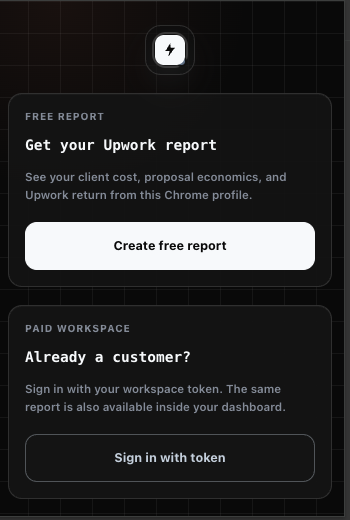
Show the Chrome extension install, workspace token connection, connected state, and Upwork identity confirmation.

  • Use a demo token or blur the token before publishing.
  • Show the extension is tied to the user's own browser session.
  • Confirm what a healthy connected state looks like.
Leverage Proposals Chrome extension popup
Video placeholder: extension connection
04 Core workflow · 5-7 min

Create a Selective Campaign

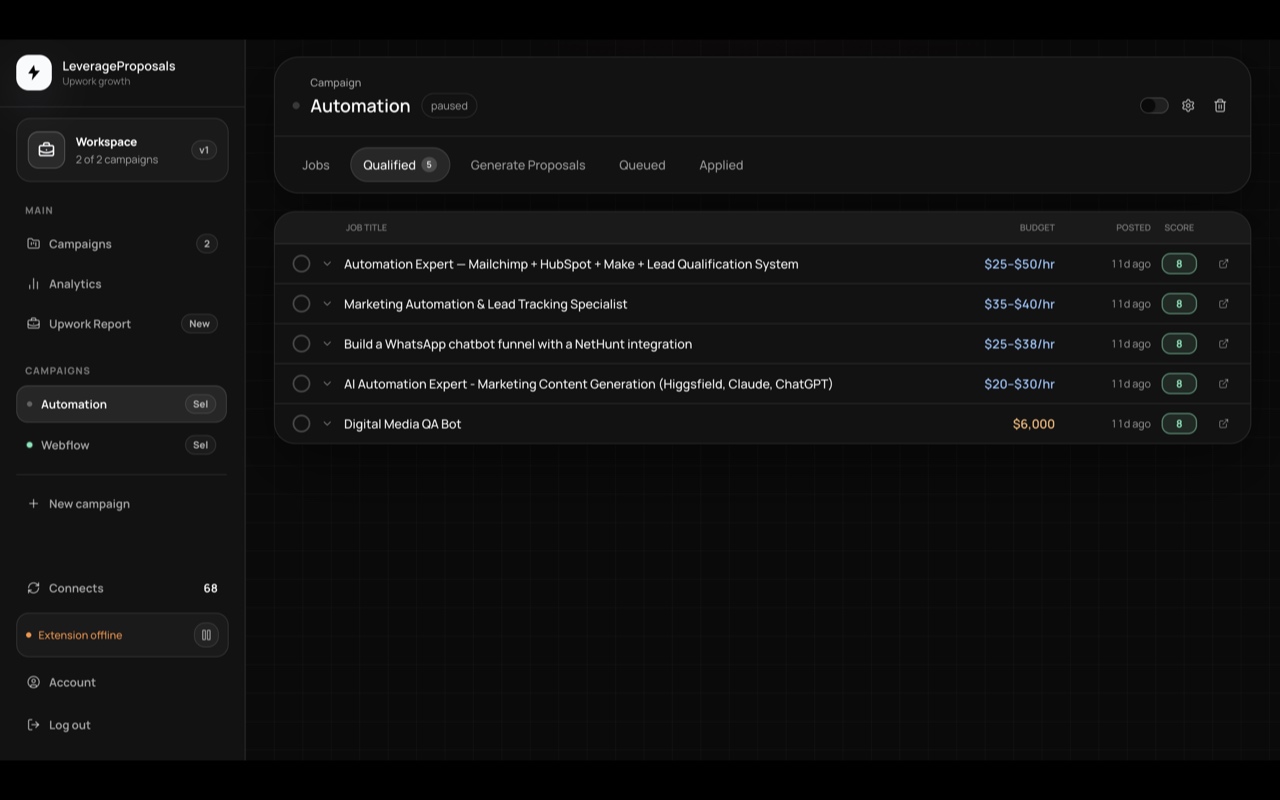
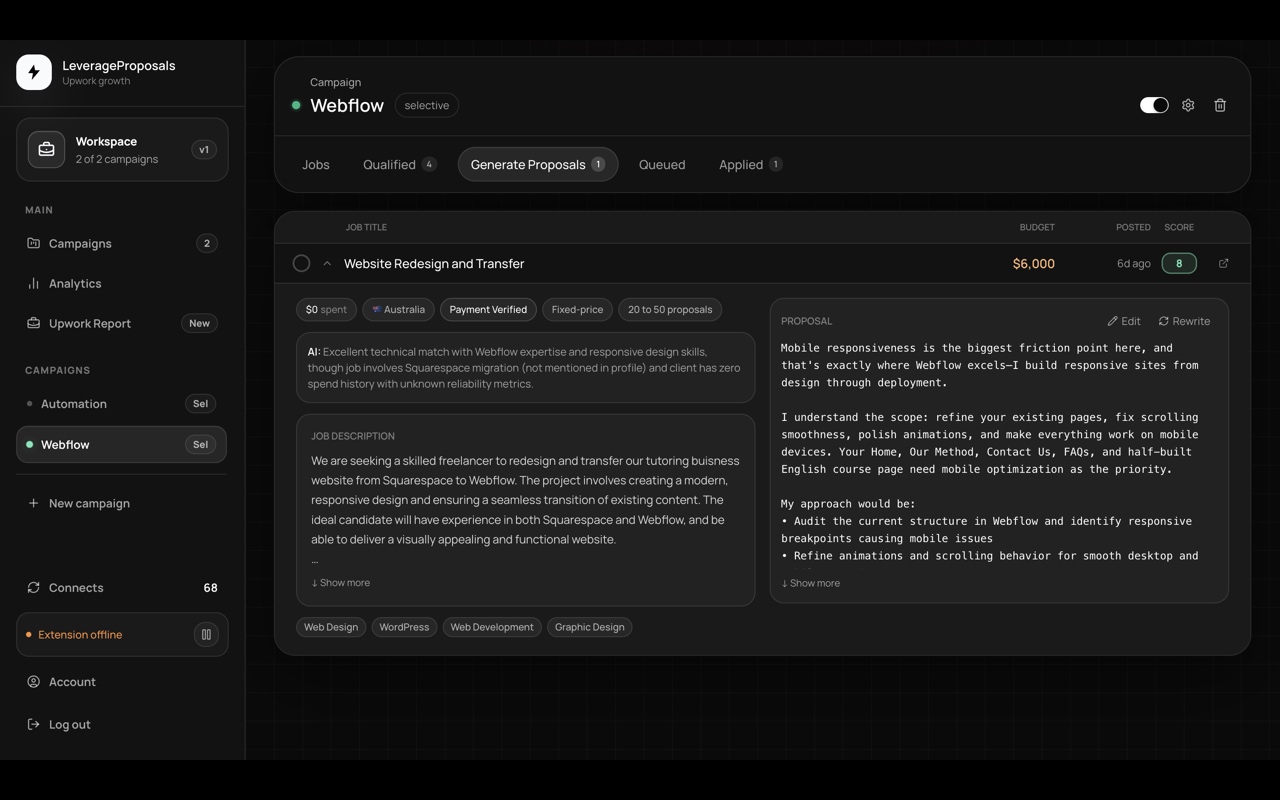
Teach the review-first flow: paste a filtered Upwork search, qualify jobs, generate proposal drafts, edit them, and decide what should be queued or submitted.

  • Start from a filtered Upwork search URL, not a broad feed.
  • Show Qualified before Generate Proposals.
  • Make review and edit control feel central.
Leverage Proposals Qualified jobs tab
Video placeholder: Selective campaign
05 Advanced workflow · 5-7 min

Create an Automatic Campaign Safely

Explain when automatic mode makes sense, how to use thresholds and daily caps, how Connects protection works, and how to pause the extension.

  • Recommend Automatic only for trusted, well-filtered campaigns.
  • Show score threshold, daily cap, pause, and status signals.
  • Avoid promising guaranteed replies or earnings.
Leverage Proposals generated proposal draft
Video placeholder: Automatic campaign
06 Reporting · 4-5 min

Reports, Statuses, and Refreshes

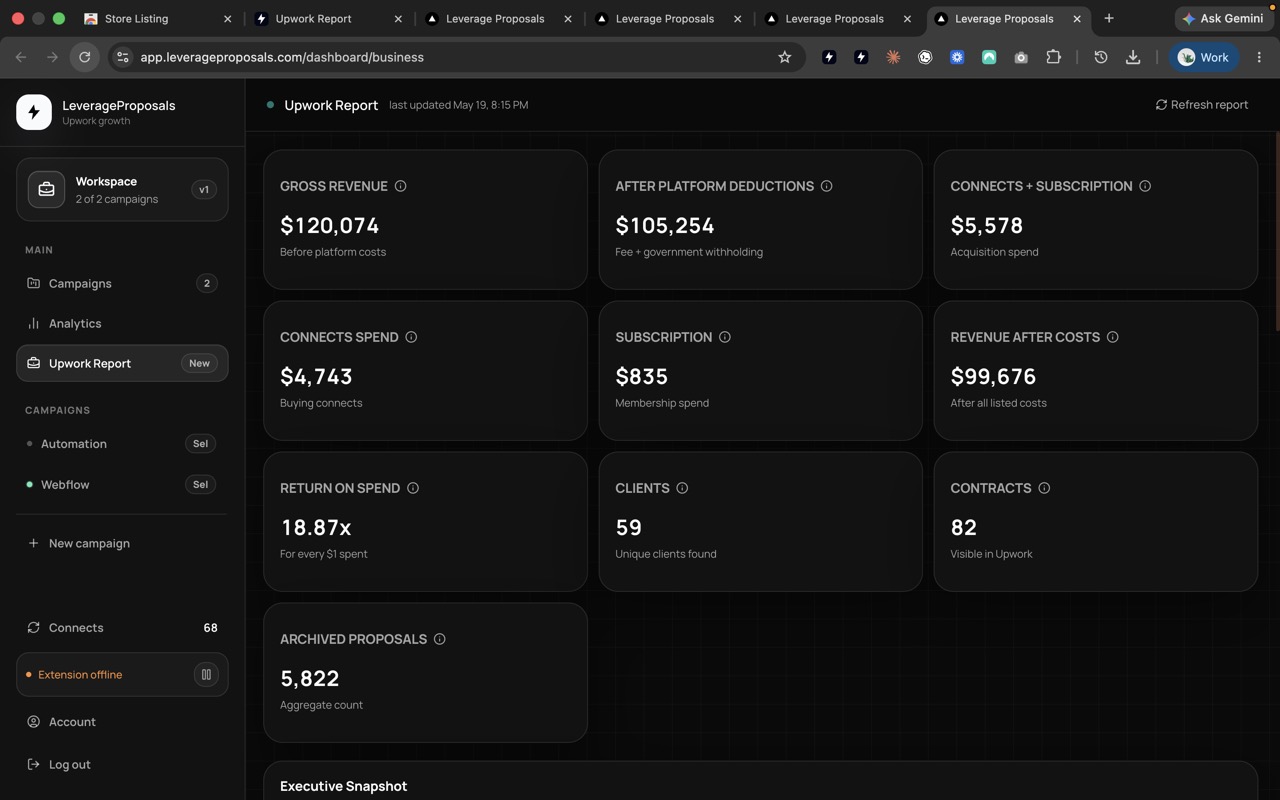
Show the Upwork Report, proposal states, Connects spend, refresh actions, and the difference between dashboard status and Upwork-side activity.

  • Explain Total spend, Connects spend, and net return.
  • Show queued, applied, viewed, replied, and needs-check states.
  • Make refresh behavior predictable and calm.
Leverage Proposals Upwork Report dashboard
Video placeholder: reports and statuses
Recording checklist

Record once, reuse everywhere.

Each tutorial should be clear enough for the website, onboarding, dashboard help links, support replies, and short social clips.

01

Use real UI, not slides

Show the actual extension and dashboard. Keep the product screen as the main visual.

02

Protect private data

Blur tokens, earnings, client names, messages, and any Upwork account details before publishing.

03

End with one action

Free report videos should point to the extension. Paid tutorials should point to signup or the dashboard step.

Questions

Quick answers before you start.

Do I need a paid account for the free report?

No. Install the Chrome extension and choose Create free report. A paid dashboard account is only needed for campaign automation.

Which tutorial should paid users watch first?

Start with Getting Started, then connect the extension before creating a Selective campaign.

Should new users start with Automatic campaigns?

Most users should start with Selective campaigns so they can review job fit and proposal drafts before sending.

Where do the recorded videos go later?

Replace each placeholder with the final video embed or hosted file, then reuse the same clips in onboarding and support links.

Start with a safe first workflow.

Create a free Upwork Business Report first, or start a Growth account and use Selective campaigns before switching on Automatic.